APPS
Photo LookBack
Easily view all the photos and videos from this day in history from your photo library.
Free and easy -- no ads, tracking, or signup required.
← ALL APPS

 1
2
3
4
1
2
3
4
 1
2
3
4
5
1
2
3
4
5
Download on the
App Store
App Store link placeholder — not live yet
About This App
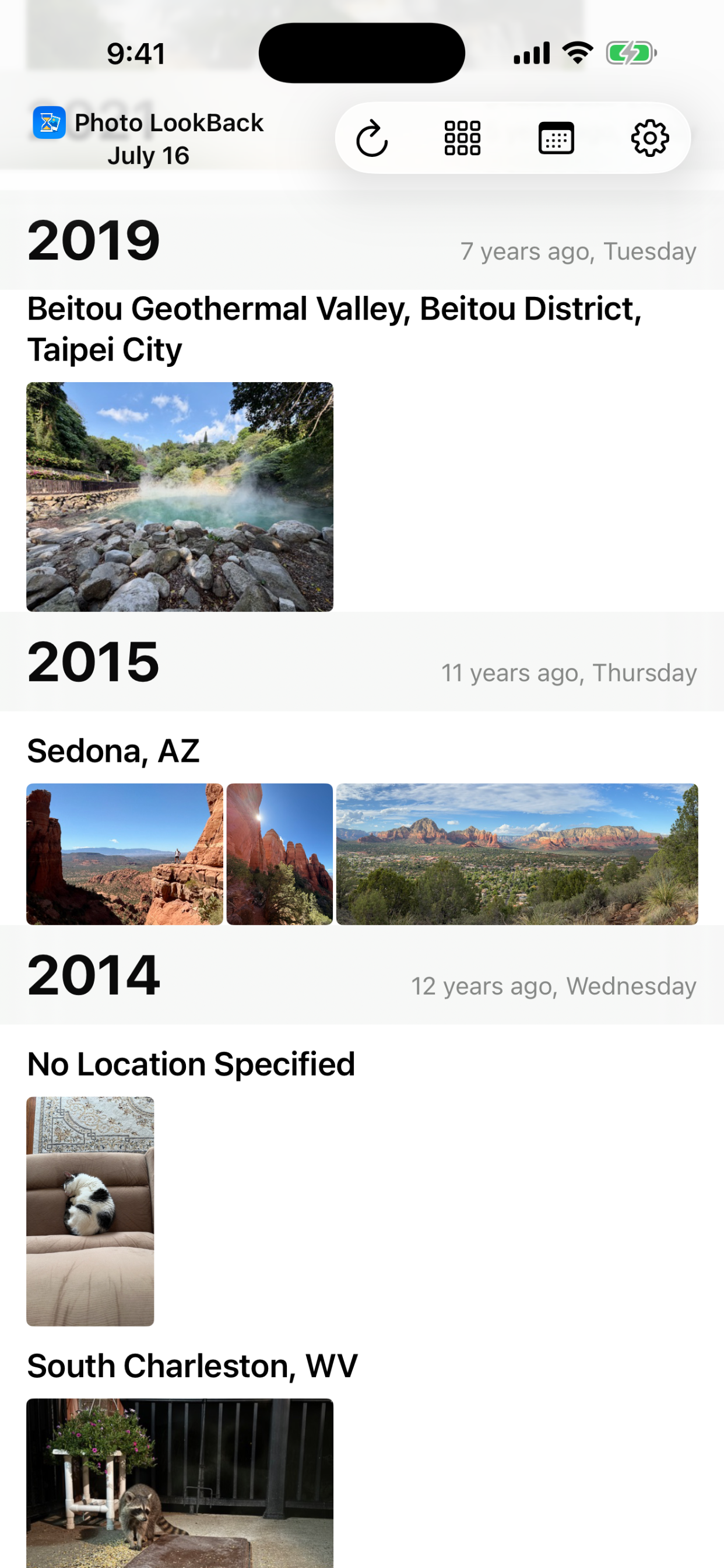
When you open Photo LookBack, it will automatically show all photos & videos in your Photo Library from this day in history, based on the metadata embedded in each photo or video.
Photos & videos are sorted descending by year and then by location.
If the location shows as "No Location Specified", then no geographical information is included in the photo metadata. If the photo was taken in the same location as another photo in that year and you'd like to update it with the same location coordinates, you can use the Add Location (GPS pin) button to assign the coordinates (see below for more).
Screenshots
User Guide
Top Toolbar
1
2
3
4
- 1Refresh — reloads the photos and videos for this day.
- 2View Mode — switches between showing photos at their true aspect ratio or in a uniform square tile layout.
- 3Change Day — jump to a different day in history.
- 4Settings — opens the app's settings. (More on this soon.)
Photo Actions
1
2
3
4
5
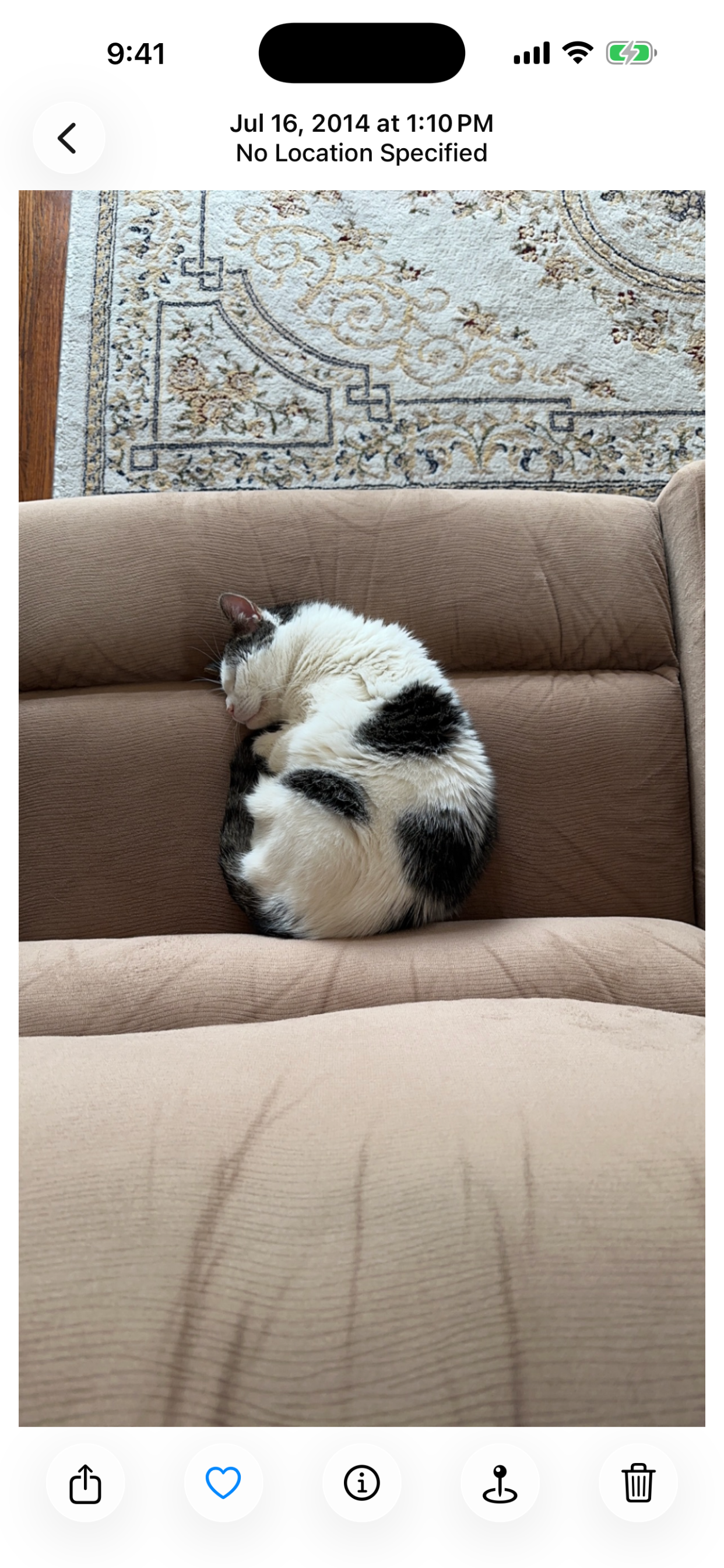
- 1Share — opens the standard iOS share sheet to send, save, print, or share the photo through any app or service on your device.
- 2Favorite — adds the photo to your Favorites album in Photos.
- 3Info — shows more details about the photo.
- 4Add Location — appears only when a photo has no location data. Shows the other photos from this day in history so you can copy location coordinates from one of them onto this photo.
- 5Delete — removes the photo from your Photo Library entirely, using the system's Photos deletion flow.
Known Bugs
- 1Unknown Location (2026-07-16, Open): If a large number of locations are present on a single day, some images with a valid location may appear as "Unknown Location" due to Apple throttling of GPS lookups. Note, this is different from the default "No Location Specified" that is shown when no coordinates are present within the image. We are exploring possible resolutions for this. Thank you for your patience!